Sunday, 13 April 2014

Get Google Adsence Approved In Just 2 hours


Get easily approved on google ad-sence with the help of your  youtube account.

Note: 

 If you are performing this process step by step then choose same account for both youtube and Blog.

Create a new Google account for ad-sence.

Now go to youtube and create a channel with at least 6 videos and 100-200 views by real traffic,
       you can get real traffic by making a photo video collection of your school or collage, and then sharing it
       on the social media,you can name the video for example:- all in Hardward University or something.
      

                                                            Creating a channel

Youtube always ask you to create a channel when a new user sign ins
So, give a unique name to your channel and upload channel profile photo and banner.

Note: 

To get adsence approved requires around valid 1000-1500 subscribers by total of all videos and 4000 valid public watch hours.

Now go to Your Videos tab. There you will find  monetize option or a dollar ( $ ) sign.

Click on enable tab, check the box of  'accept all the terms and conditions'.

Move to your blogger blog/website.
 
Go to google adsence and sign in.After 2 or 3 hours you will get an e-mail from google, saying, your adsence account has been approved successfully.

Note : Dont use any copyright songs or clips in your videos otherwise your account will get banned.


Keep Visiting.


See Who Is Online When You are in Offline Mode


Topics Related To This Article 


1. Facebook chat feature

2. Facebook Link To See Who Is Online When I am In Offline Mode


1. Facebook Chat Feature


Facebook
being a social-network is with a friend adding feature. Social word simply says the speaking & seeing.

As shown below,  after clicking on the * button on chat sidebar the Adavanced Chat Settings appears. Here we usually click on Turn off chat, to hide us from someone or all of our friends this not only hide us it also others, which stops a chat turned off user to see who is online. So you will need a software to see online users.


Now, Let us move to the second topic
2. Facebook Link To See Who IS Online When I am In Offline Mode

You can visit  facebook.com and use facebook free and ease to use software ''Online Now'' to watch friends being in turned off mode.Click the link below.
http://adfoc.us/21105741836406


Saturday, 12 April 2014

Watching Youtube Videos With Slow Internet Connection


Go to this url and join it
 http://www.youtube.com/feather_beta
 
It has been recently launched by youtube and less in popularity because it is a work in progress, so all youtube videos are not ye modified with feather-beta to display the option play with feather beta.

Know- How To Join

Joining feather beta is same as  as creation of  Google  account.
If you are facing problem in joining feather beta you can contact youtube,they will reply you.

Feathet Beta's Tips For Newbies

To play videos at faster rate [like upto 200p or less] be sure to remember quality which will get like 
        blur.

As it is a work in progress type option you cannot force any video to be played in feather beta.

Tuesday, 8 April 2014

Change Windows 7 Welcome Screen Fonts


Just copy to the bold written code to your notepad and save it as Welcome.vbs (note - don't copy Colan marks).

  '' speechspeaks="Welcome Back, Username"Set speech=CreateObject("sapi.spvoice")speech.Speak speaks ''


Instructions

1 Replace the username with your name like Smart User, Cool Dude. 

2 Save it as Welcome.vbs (this name and extention must be the same)

Copy This To -

3 Windows(installed Drive)\Users\Username\AppData\Roaming\Microsoft\Windows\Start Menu\Programs\StartupWindow XP:C:\Documents and Settings\All Users\Start Menu\Programs\Startup

4 Now you are done.


Warning Text

 Don't change even a single word from code except Username and keep it b/w 9-13 characters excluding exclamation mark or other keyboard symbols.

Wednesday, 19 March 2014

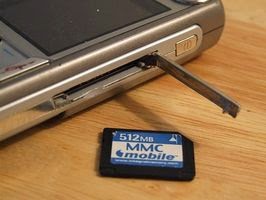
How To Unlock Memory Card Password


ツ  If you want to know 'How To Unlock Memory Card Password' read this full article. Most of us have at-least one data storage chip in mobiles and to protect the data we create a very strong unthinkable password (especially newbies) like set password  rdxfdc and after few hours we ourselves had a headache thinking Oh God what is my memorycard password,and then we spent/ waste money to mobile repairing shops.
But,you no need to waste any cent.

You just have to use your internet and download F Explorer and saw the actual password without formatting it.                   
       Download FExplorer from here http://adfoc.us/21105740282722                             

The file explorer like FExplorer which you can download from above  can make your password visible in computer
ツ


Method To Use

  Insert memory card into your mobile but now don’t access it through
       mobile.


  Run FExplorer and Open the path C:\system.
 
You will find a file called mmcstore ,rename the file as mmcstore.txt.
 
Copy the file (mmcstore.txt) to your computer (via USB,Bluetooth) & open
      with noptepad.

 
Now you can see the original password.

 
Then write it somewhere or remember it.

 
Now enter memory card in your mobile and open it.       

    How To Add Download Image in Blogger


    • Get a suitable image from Search Engines  (like Google) and save it.


       Like this Image


    • Place this image to your post.
    • Now click on HTML tab.


    • Select(put your finger on left mouse button and drag till file format) the first link (highlighted link)of your image.
      To be a expert in doing this start with only one Image

    • Now replace the highlighted link (First link of image)- "http://4.bp.blogspot.com/.........s1600.gpj"  (like the above highlighted link) with your download file link for example-   http://adfoc.us/21105739655778 
              

    Note:
    only change the link of s1600 types because changing of s1400 type will not work.
    • Click on  Publish  tab
    • Visit Your Blog click the Download button to see working of image.
        

    How To Hide A Link In Word To Download A File In Blogger


    This post is to hide any internal link above the text.

    Instructions


    1 Go to your blog post where you want to add download buttons.

    2 At Top Left corner you will see two tabs i.e., Compose and
    HTML tab.

     
    3 Now copy this code
    -

    <a class="wt360downloadbutton button" href="Your Download Link HERE " rel="nofollow" style="float: right;" target="_blank"><span style="display: inline-block;">Download</span></a> 


    and replace the texts Your Download Link HERE with your internal link and Go to HTML tab and paste it any where like where the tag gets closed like <br/> or <p/> or <b/> etc.


    4 After pasting click on Compose Tab.

    5 Now scroll up and down to see a highlighted download button(Download).

    5 Save your post and visit your blog to see the download button and you can click on the highlighted
       Download to start redirecting or downloading to your internal link.


    Note:  

    You can also add other buttons like demo,click here,you just have to replace the download text in the above code with your choice text.


    Saturday, 8 March 2014

    Microsoft Office 2013 Keys

    Keys:
    ========================================================

                                      Y89N6-KWWJX-YHFVP-DWMGK-XKR9J     


                                  6QD6N-J7FQ2-HBMW2-KFJ29-JW728                                   
                  
    MH2KN-96KYR-GTRD4-KBKP4-Q9JP9   

                                         2MNJP-QY9KX-MKBKM-9VFJ2-CJ9KK

    4TBVN-9C666-WQBDD-FM3HX-DYDG    

    NVWXW-WWVFR-D6HKK-MW2BD-DV2KJ

    MT7NR-6GWBK-QGHBV-2YBFG-72V28      

    JR3N8-YV72J-86V92-HC2PM-PRXTW

    ========================================================


    Thursday, 30 January 2014

    How To Identify Fake Accounts On Facebook


    Facebook has become the most widely using social networking website, , please check the person you are making freind on facebook is fake or real ( your well wishers also mean it )

    How Can I check ? just by reading below methods.


    Method 1


    Mostly fake  profile is of a girl .To check that is she is a real girl or a creap. go to her profile and choose About option.If the gender was selected male.there are chances for fake profile , because creating facebook fake accounts fakers don't bother about the gender and they choose male one(the first option in hurry.!)


    Method 2

     
    Talk To the girl for  few days (generally) if she is giving you more attenetion. don't give her replies and have a eye on her activities on facebook if her only attempt is  to add girls from your profile its is a fake profile


    Method 3


    Fakers only add one profile picture and they don't upload more of their face containing photos. report it as a fake profile , if other freinds of her profile was also reporting her profile as fake. Soonly the account will get removed.


    What Fakers Mostly do

    They copy images from Google . Now, go to google image search option and put her image( first download or copy her profile picutre by pressing prt Scr on your keyboard or by snipping tools)Click Search .after The Rusult displayed click on any photo of her and check the site containing her photos if it wasn't facebook.Then the account is 1000% fake.


    How To Watch Partially Downloaded Videos With IDM

    It is possible to view half downloaded files.
    Just follow simple steps

    •Open RUN ( bypressing Windows Logo Button + R)

    •Type" %appdata%" in RUN dialog box

    •open folder of the name "IDM"

    • Now open folder "DwnlData" then administrator

    it is the most recent downloads, so the folder must be on top of all

    •open the folder you’ve located in previous step. It will contain some files with no
    file extension. Open the first file with no extension in that folder.

    •Windows will ask you which player to use for opening this file,choose your media
    player(window media player,VLC, KMP Player) and play it.....

    enjoy...